
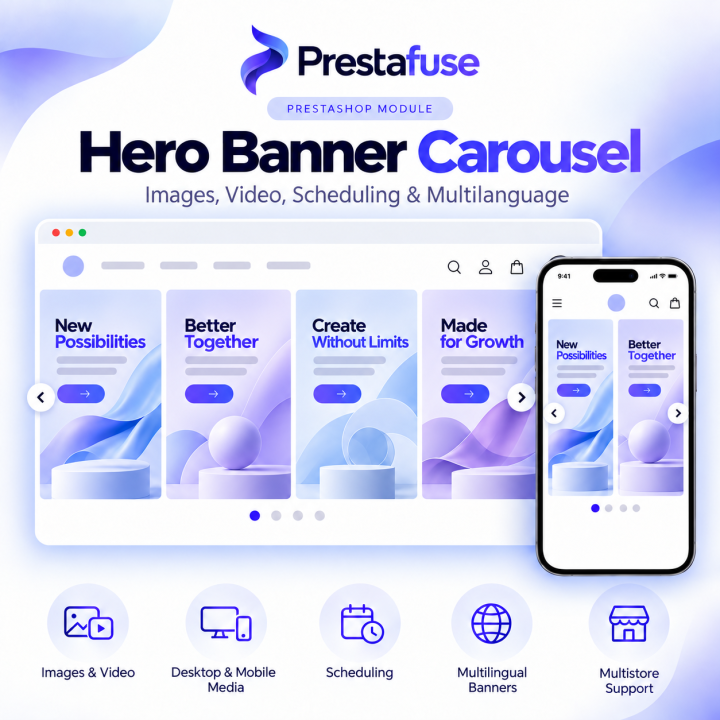
Hero Banner Carousel: Images, Video, Scheduling & Multilanguage images
Hero Banner Carousel: Images, Video, Scheduling & Multilanguage
Create responsive homepage hero banners with images or video, schedule publication and tailor media for each language and device. Manage links, ordering, autoplay, navigation and multistore settings directly from the back office.
How you get the module
Module download
After your payment is confirmed, download the module ZIP from My account → My downloads.
Module installation
Install the ZIP through your PrestaShop Module Manager and follow the product documentation.
Why choose PRESTAFUSE?
- Built for a clear purpose — focused modules for a specific store need.
- Clear compatibility — tested PrestaShop and PHP versions on each product page.
- Direct access to your downloads — available files and releases in one account area.
- Help when you need it — questions and support conversations in your account.
Have questions? Contact support team →
Features
- Image & Video Hero Banners
Create homepage hero banners using JPG, PNG or WebP images, as well as MP4 or WebM video with a cover image. - Separate Desktop & Mobile Media
Upload dedicated mobile files for each banner, while automatically falling back to desktop media when no mobile version is provided. - Multilingual Banner Content
Use separate media, accessibility text and custom URLs for each active shop language, with fallback to the default shop language when a translation is incomplete. - Scheduled Publication
Set optional start and end dates for each banner and control exactly when it becomes visible in the storefront. - Flexible Banner Links
Link banners to products, categories, CMS pages, manufacturers or custom URLs, or display them without a link. - Private Banner Preview
Preview saved banners before publication using temporary, authenticated preview links. - Drag & Drop Ordering
Reorder banners by drag and drop or with up/down controls directly from the back office. - Advanced Carousel Display Settings
Configure full-width or theme-container layout, card counts for desktop/tablet/mobile, spacing, corner radius, autoplay interval, transition duration, loop, arrows and position indicators. - Touch & Keyboard Navigation
Support arrows, keyboard navigation and touch swipes for a more accessible storefront experience. - Accessibility-Aware Autoplay
Autoplay respects reduced-motion preferences, page visibility and focus, with a keyboard-accessible pause control. - Multistore Support
Manage separate banner lists and settings for each shop in a PrestaShop multistore environment. - Duplicate, Enable, Disable & Bulk Manage Banners
Duplicate existing banners, enable or disable them, delete multiple items and filter by name, media type or publication state.
Compatibility and installation
Declared target: PrestaShop 8.0.0–9.2.0. Use PHP supported by your PrestaShop release, with fileinfo and GD. Full-shop installation testing, including 9.2.0, remains pending; see the supplied validation report.
Back up the database and img/emherocarousel. Upload the ZIP through Module Manager and run the update without uninstalling or resetting. Clear the cache. Default placement: displayHome; displayEmHeroCarousel is available for theme integration. Test Leo Elements integration in your own theme. No external service, CDN or subscription is required.
Licence, updates and support
Software licence: MIT (LICENSE in the ZIP). This price includes the module source and 365 days of PRESTAFUSE support and access to newly released versions. Domain registration identifies the shop receiving support; it does not limit rights granted by MIT.
Support for installation, module errors and usage questions: response within 24 hours counted on working days. Custom development is quoted separately. Renew support and new-version access for 365 days for EUR 29.99; remaining time is preserved when renewed early.
-
ReferencePF-HERO-CAROUSEL
-
In stock10000 Items
- Current module version
- 1.1.0
- Tested PrestaShop versions
- Declared target: PrestaShop 8.0.0–9.2.0. Use PHP supported by your PrestaShop release, with fileinfo and GD. Full-shop installation testing, including 9.2.0, remains pending; see the supplied validation report.
- PHP requirements
- PHP compatible with your PrestaShop version; fileinfo and GD
- Licence and permitted use
- MIT — LICENSE
- Update period
- Software licence: MIT (LICENSE in the ZIP). This price includes the module source and 365 days of PRESTAFUSE support and access to newly released versions. Domain registration identifies the shop receiving support; it does not limit rights granted by MIT.
- Installation instructions
- Back up the database and img/emherocarousel. Upload the ZIP through Module Manager and run the update without uninstalling or resetting. Clear the cache. Default placement: displayHome; displayEmHeroCarousel is available for theme integration. Test Leo Elements integration in your own theme. No external service, CDN or subscription is required.
- Public documentation URL
- Public documentation URL ↗
- Changelog
- 1.1.0 — Updated administration, eight interface languages, validation, media protection and versioned assets; existing banners and settings are retained.